
Reports
The Reports page gives you access to data about your shipments, billing, and inventory. You can find it in the sidebar under Reports.
Available Reports
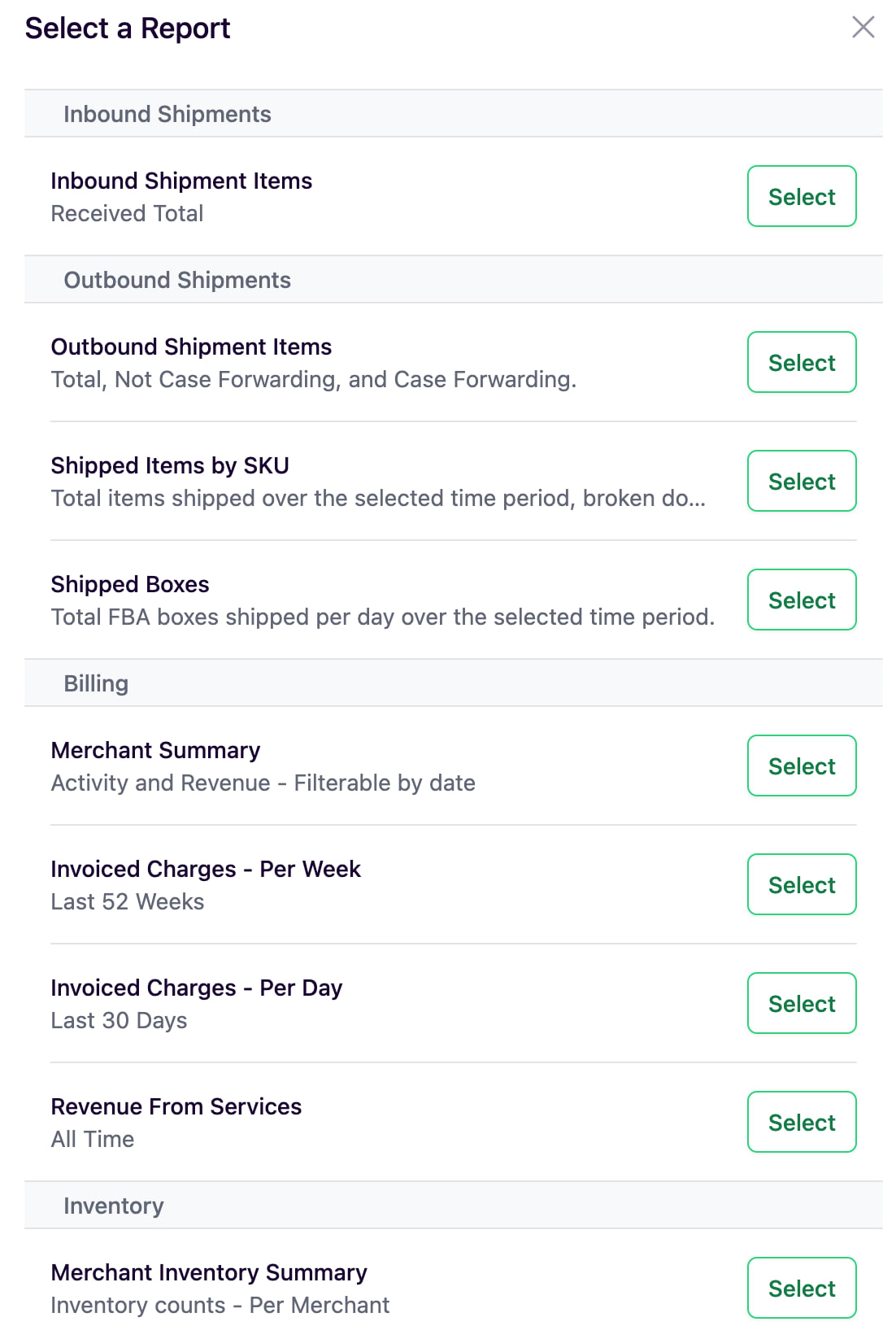
Inbound Shipments
Inbound Shipment Items: Shows the total number of units received over a selected time period. You can filter by time granularity (per day, per week, etc.) and set a custom date range.
Outbound Shipments
Outbound Shipment Items: Shows total units shipped, broken down by total, non-case-forwarding, and case forwarding. Supports the same time granularity and date range filters.
Shipped Items by SKU: Shows total items shipped over the selected time period, broken down by SKU.
Shipped Boxes: Total FBA boxes shipped per day over the selected time period.
Billing
Merchant Summary: Activity and revenue filterable by date.
Invoiced Charges - Per Week: Invoiced charges over the last 52 weeks.
Invoiced Charges - Per Day: Invoiced charges over the last 30 days.
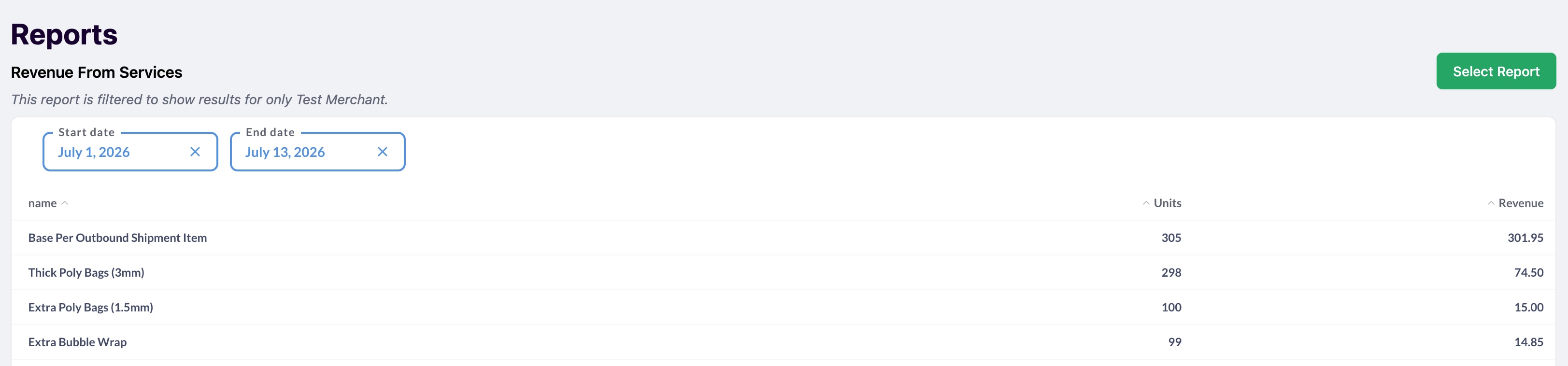
Revenue From Services: Revenue and total units for each service, filterable by date. Use the Start date and End date filters to see how many of each service, including boxes, were billed over a period such as a single month.
Inventory
Merchant Inventory Summary: Inventory counts per merchant.
Using Reports
- Open the Reports page from the sidebar.
- Select a report by clicking Select next to it.
- Use the Time Granularity, Start Date, and End Date filters to customize the data shown.
Reports are filtered to show results for the selected merchant. To view data for a different merchant, switch merchants using the selector at the top of the page.